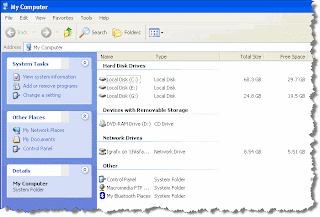
 before
I find that the My Computer view is much less helpful when interacting with files than the Explorer view. By default, when you click on My Computer or My Documents, and folder and drive shortcuts, the left pane contains links to Make a new folder, Publish this folder..., and other not-so-helpful links. I like the Explorer view which has a tree of all folder, open to the folder that I've selected.. Well, with an easy Registry change, the behavior of My Computer and the like can be changed to open in an Explorer view. Go to
HKEY_CLASSES_ROOT\Folder\shell and set the default value (
Value data) to "explorer" -- that's it.

 after
after
 before
 after
after

Comments